
Category: Product News

What PPO users should know about Microsoft’s retirement of Internet Explorer

The Internet Explorer logo inside a trash can, with the lid leaning against the can, symbolizing the browser being discarded or deleted.
Internet Explorer 11 (IE11) is in the final stretch of its life. As of 15th of June 2022, Microsoft will stop supporting the browser. So what does this mean? Microsoft will redirect users from the IE11 desktop application to Microsoft Edge and ultimately disabled via a future Windows Update. The web browser will also no … Continue reading "What PPO users should know about Microsoft’s retirement of Internet Explorer"

Complete your timesheet faster with the use of Toggles

Three computer monitors display hands holding a magnet, megaphone, and notebook. Above them, icons of a light bulb, gears, clock, chat bubbles, calculator, folder, award, and briefcase represent various business concepts.

We take great pride in PPO’s ease of use and our latest enhancement puts the spotlight on the Time Entries functionality. Completing timesheets is a key feature used by a large number of our clients, but let’s be honest, who enjoys completing a timesheet?

PPO gains a nifty enhancement: Configurable Menus

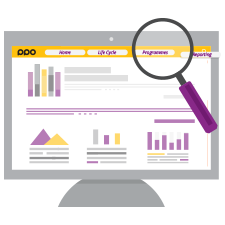
A computer monitor displays a website with bar and line graphs. A magnifying glass hovers over the top right section, highlighting the “Programmes” menu item in yellow and purple colors.

PPO’s Main Menu allows you to navigate quickly to pages within PPO. Even though the existing main menu in PPO is already really good, the latest update will bring further enhancements that improve navigation.

Why, Where, and How to Use Avatars in PPO

A grid of nine colorful, flat-style cartoon PPO Avatars, each with unique hairstyles, clothing, and accessories, representing diverse individuals on a light background.

An avatar, also known as a profile picture is typically applied to social media profiles and software apps. So much of our interactions are taking place online these days, which is why PPO is introducing avatars to allow users to express themselves personally.

Uploading Documents are a Drag… Or are they?

Two overlapping rectangles, one solid and one dashed, with a mouse cursor on the solid rectangle. Text below reads Drag & Drop project documents in PPO.

Over the years in training sessions with users, one question has been consistently asked when we get to the ins and outs of uploading and maintaining documents in PPO, “Can’t I just drag and drop my documents into PPO?”

Say Hello to Multiple Document Downloads in PPO

Two yellow folders with documents; dotted arrows suggest papers are transferring from one folder to another, illustrating document download, all set against a blue background.

PPO’s document entity provides users with the ability to upload documents of any format. This in turn makes collaboration on documents possible and provides the means to track compliance to governance which are both important features for all project environments. It also becomes a safe storage space where you and your project team can access a centralised project document repository from any device.

Deleting Tasks on Import Now Possible!

A hand highlights a colorful Gantt chart on a project plan sheet, showing five tasks with progress bars indicating timelines and how to ppo delete tasks, against a blue background.

One of the most valued features of PPO is the ability to import tasks from Microsoft Project (MSP) or Excel into PPO’s task entity with a couple of clicks. This ensures that Project Managers are not expected to give up their favorite planning tools when using PPO, the integration works smoothly, however there has been one drawback – PPO did not delete tasks that have been deleted in Microsoft Project (MSP) or Excel.

Missing Interaction, Us Too … But We Are Ready To Help!

Purple line drawing of a person with a headset and microphone, surrounded by arrows, a phone receiver, and a speech bubble, symbolizing PPO Live Chat Support or call center communication.

Visitors to the Project Portfolio Office web site may already be familiar with our purple Live Chat bubble, lower right hand corner of their screens, but for those of you that haven’t, don’t fret, we are introducing our Live Chat directly in PPO!